
In recent years, all kinds of short-term rental apartments and long-term rental apartments have started to develop in the direction of intelligence, giving tenants more great life feelings and experiences from four levels: safety, comfort, convenience and health,and further enhancing the efficiency of apartment management for landlords. YonAnn takes you to understand how convenient intelligent apartment management is with a smart apartment lock. Problems that cannot be solved by traditional door locks can be solved well in the intelligent era. With the continuous support of technology, the smart door lock plus the software platform to realize the remote control function can be said to be very powerful. Along with the wide application of the intelligent door lock, the various hidden problems of the traditional door lock in apartment management can be solved.
YonAnn has several kinds of APP operated smart locks for apartment use. The most popular one is TTLock App Bluetooth Smart Door Lock. For tenants, the use of apartment smart locks is a guarantee of a good experience. First of all, because of the way of opening the connected smart apartment lock, no matter how frequently the tenants change, there will be no more security problems with the door lock, and the heavy many keys can be simplified without worrying about whether they forgot to bring the keys again after work, at the same time, if you are out for a long time, you can check the unlocking record through TTlock APP, so you can know the situation of the room in and out, and you do not need to worry about the security of the property in the apartment. Finally, if there is a temporary visit from friends or relatives or a housekeeper, a temporary password or cell phone remote unlocking can be solved, and it is controlled enough to ensure security.
TTLock App Bluetooth Smart Door Lock ApplicationServiced Apartments, Holiday Apartments, Long Stay Apartments, Short Stay Apartments, Hotels, B&B
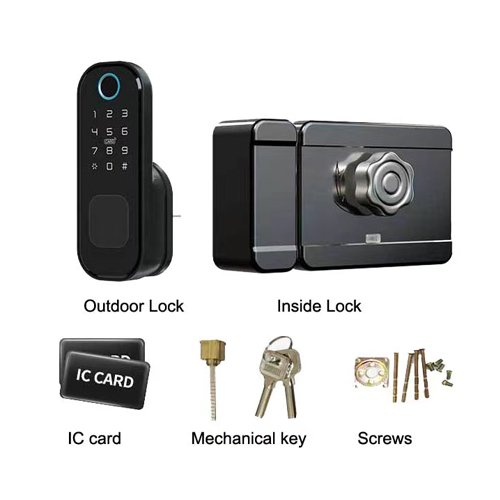
Model: Z05
Unlock Way: Fingerprint, TTlock App, Bluetooth, IC card, PIN code , Key
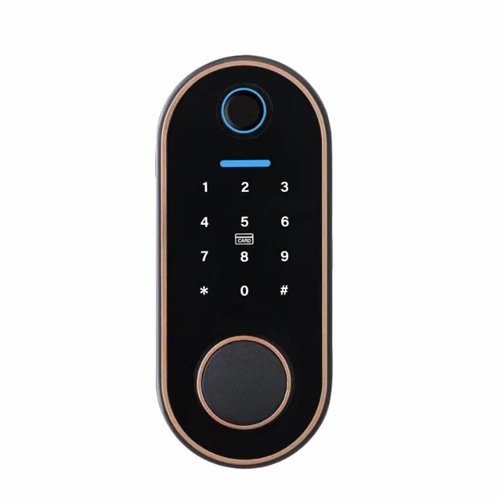
Model: Z-FJ-4
Unlock Way: Fingerprint, TTlock App, Bluetooth, IC card, PIN code , Key

Model: Z-FJ-1
Unlock Way: Fingerprint, TTlock App, Bluetooth, IC card, PIN code , Key

Model: X9-L
Unlock Way: TTlock App, Bluetooth, IC card, PIN code , Key
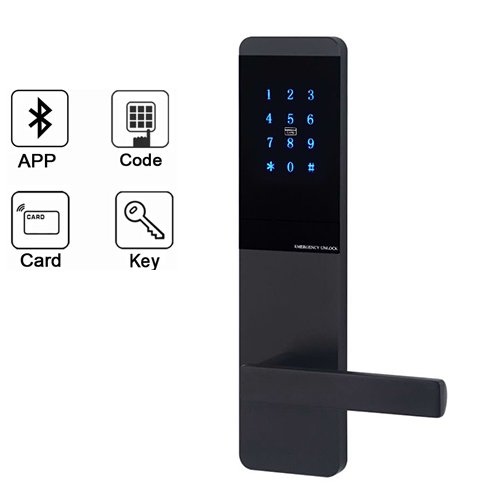
Model: X3-L
Unlock Way: TTlock App, Bluetooth, IC card, PIN code , Key
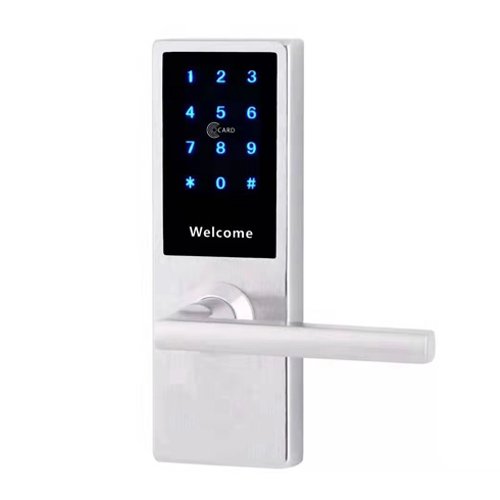
Model: FJ-2
Unlock Way: TTlock App, Bluetooth, IC card, PIN code , Key
TTLock App Bluetooth Smart Door Lock Advantage
From the smart lock development history, the apartment smart door lock originated from the rise and development of Internet apartments, including serviced apartments, vacation apartments, long term apartments, short term apartments, which is also out of the key management needs arising from the business needs of showing, checking in, cleaning, etc., also from the continuous maturity of the Internet of Things technology and the application of smart locks . From the current development, the advantages of apartment smart locks are more obvious in terms of security and convenience compared to home smart lock.
Data Synchronization Have More Security Guarantee
Wireless communication is used between the TTlock App bluetooth smart door lock and the gateway to achieve data push synchronization and backup, with security guarantee. The wireless part adopts spatial encryption technology and the network part adopts financial grade encration, with asymmetric encryption algorithm to guarantee data transmission security.
Backstage Management,More Intelligent and Convenient
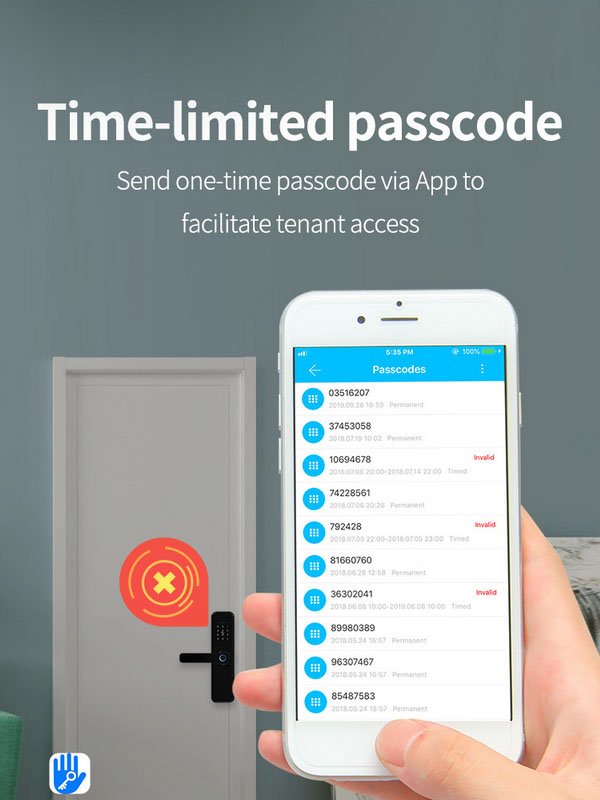
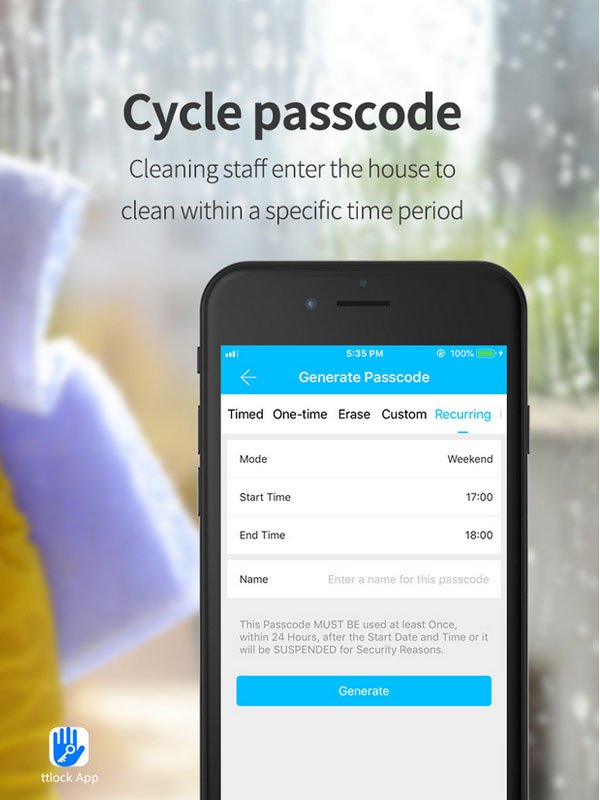
The TTlock App bluetooth smart door lock has powerful backstage management, including remote password management, which supports assigning one-time password, time-sensitive password, and custom dummy password. The dummy password can protect the user’s privacy, and multiple numbers can be added before and after the real password, so that the tenant has no worries.
Efficient Protection,Let Living Comfort and Peace
TTlock App bluetooth smart door lock in the user security above has enough protection. Open door records query, open the door to prevent prying real-time alarm. Whether it is opening the door, locking the door or daily management, YonAnn bluetooth smart door lock can give users a better living experience.
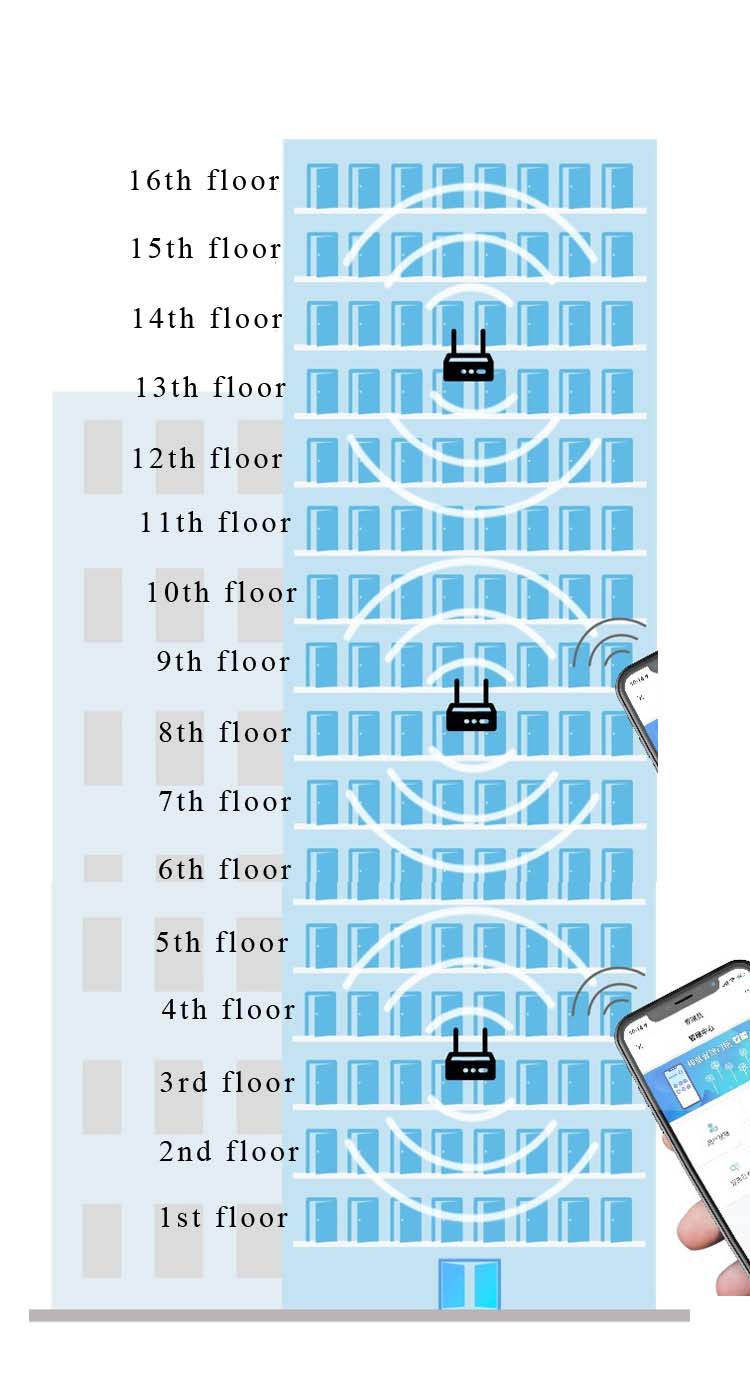

TTLock App Bluetooth Smart Door Lock Features
- Multiway unlock : Mifare 1 card , one time passcode, long time passcode, temporary passcode , Key , remote control
- Touchscreen Keypad
- Enter Pincode to unlock and simply tap the keypad to lock the door
- Mifare card unlock
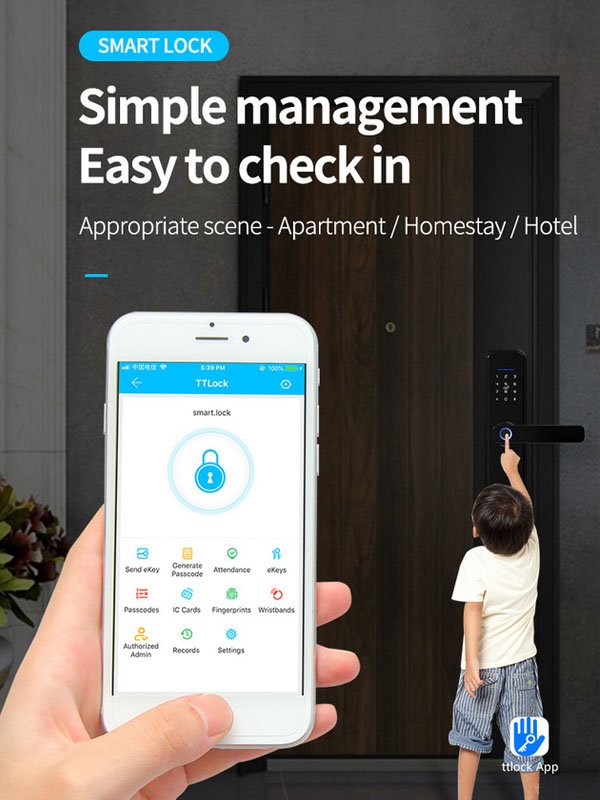
- Support with TTlock app , it’s easy to manage and setting , share temporary access , check unlock records .
- Mechanical key available
- Weather protected , some models can choose with rubber gaskets to increase protection against outdoor environments .
- With deadbolt to lock the door from inside easily .
TTLock App Bluetooth Smart Door Lock Technical Data
- Supply voltage: +6V (4 batteries) , 4 pcs AA alkaline battery .
- Material : Zinc alloy /Aluminum/stainless steel ( depends on the model).
- Unlock way : IC card, Passcode, Mechanical key , one time passcode, long time passcode, recycle passcode .
- Battery lifetime : 100000 times about 12 months .
- App support mobile system : IOS /Android latest version.
- Communication app: Bluetooth use TTLOCK APP.
- Unlock time response : 1-1.5S .
- Available mortise : hotel lock mortise lock , 50/60 single latch ,5050 mortise lock ( depends on the model).
- Door thickness requirement: 35-55mm .
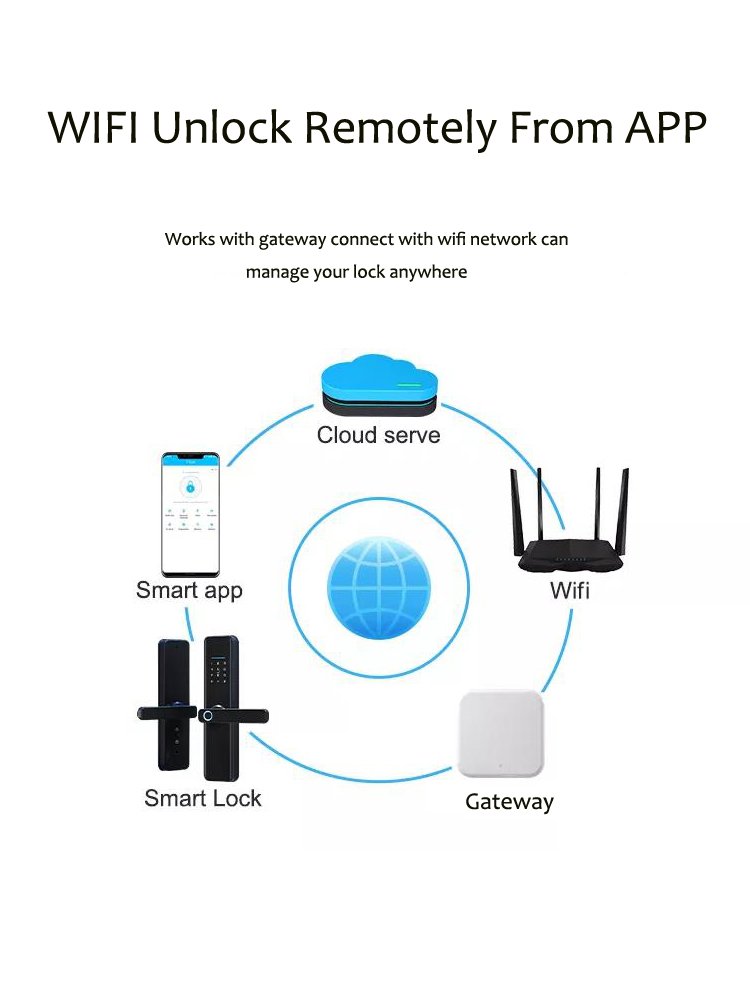
- Wifi gateway : can work with gateway , with it work can upto remote control function.
- Working temperature: -20°C-65°C degree.
- Working humidity : 10%-95%RH .
- OEM/ODM service available : yes

Some Considerations When Choosing TTLock App Bluetooth Smart Door Lock
TTlock App bluetooth smart door lock use for smart apartment,can improve the management efficiency and reduce the management cost of rental housing ,through mobile apps to improve the security, convenience and comfort of the tenants and the apartment itself, which can to a certain extent help landlords to improve the efficiency of housing management and rental premium, and increase the occupancy rate of rental properties.
Many apartment managers will consider how to pick affordable and convenient apartment smart locks for convenient management and save budget.
- The swipe card function is relatively popular and inexpensive. But the function is single, many functions can not be achieved, such as remote authorization, remote cancellation, etc.
- Fingerprint, face function can give residents a good sense of experience, security factor is also higher, residents will also be more convenient and fast to unlock the lock, to avoid the need to send keys to the residents remotely when they can not find the key.
- The password function is moderately priced, many password locks can be done remotely to cancel the opening privileges and other functions, convenient for managers to operate and manage.
- Cell phone unlock function is not too expensive. And a cell phone to open the door is not only convenient for tenants to open the door, but also convenient for administrators to manage. Administrators can manage from the app background of residents.
TTLock App Bluetooth Smart Door Lock System Functions
- Remote authorization. If the system can be authorized remotely, the manager does not need to bring the key or room card when checking the room or receiving the tenant. And if the tenant wants to renew, it can authorize in real time, without waiting.
- Remote cancellation authority. The remote cancellation function is especially important when the tenant defaults on rent or surrenders. It enables managers to better control the door lock and facilitate rent collection.
- Real-time uploading records. Real-time upload records include door opening records, battery power, etc. This function is generally used for managers to view the tenant in and out, as well as to remind managers to replace the battery in a timely manner.
- Mobile phone management. General apartment managers do not often sit in front of the computer. Especially if you are not in the apartment, you can use your cell phone to manage the door lock is a relatively convenient thing.
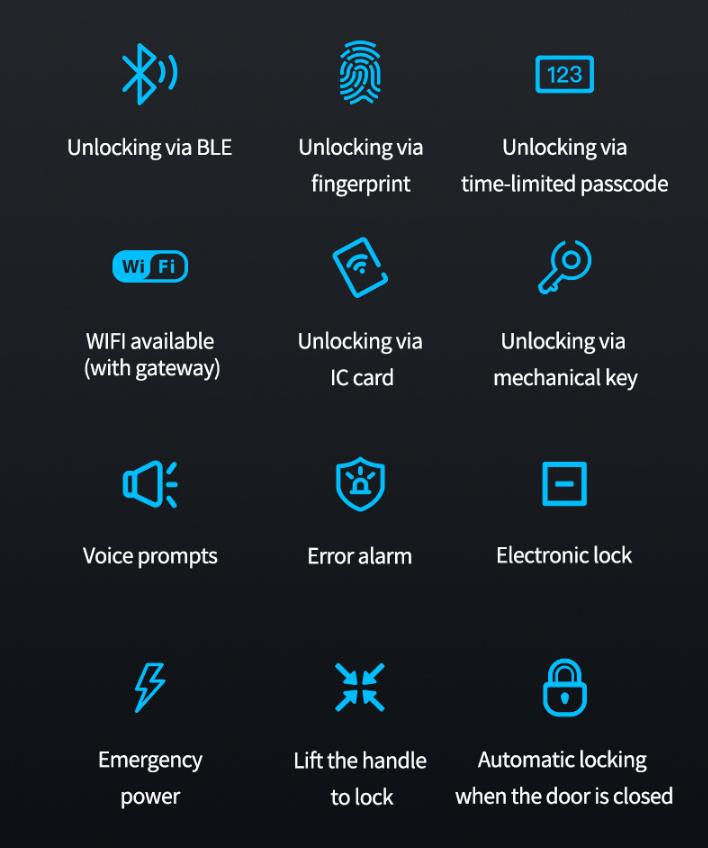
TTLock App Bluetooth Smart Door Lock Connect Way
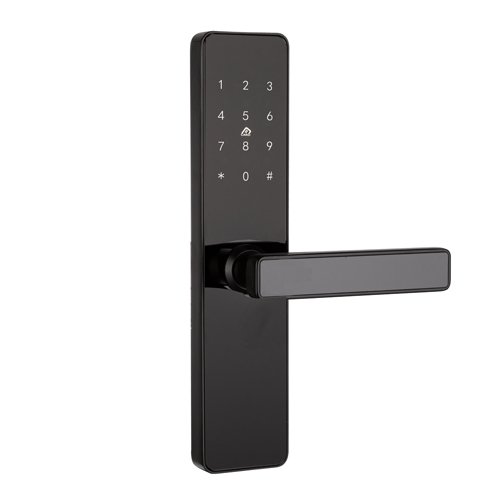
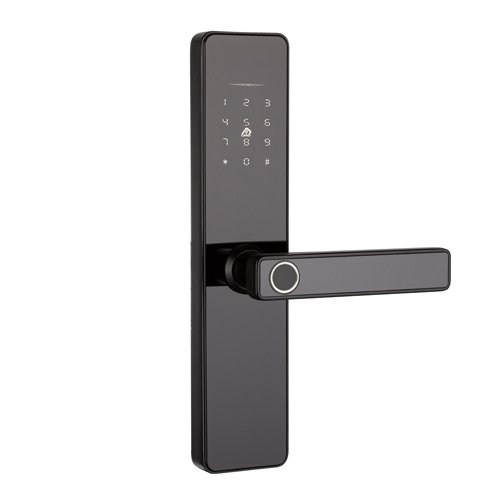
Non-networked TTlock app bluetooth smart door lock.
The biggest advantage of the smart door locks without networking is ease to install and with low power consumption. except some can’t unlock and lock by remote , and date upload realtime can not be achieved, other functions can basically be achieved.
Networked TTlock app bluetooth smart door lock
Networked smart door locks can obtain real-time door unlock records which is very convenient for managers to manage, and different door locks networking methods can also be ultra-remote control of the door lock. However, the price of networked door locks are generally higher , for it need add gateways to achieve control by remote . Generally applicable to large hotels, apartments, schools, office buildings.
TTLock App Bluetooth Smart Door Lock Manufacture
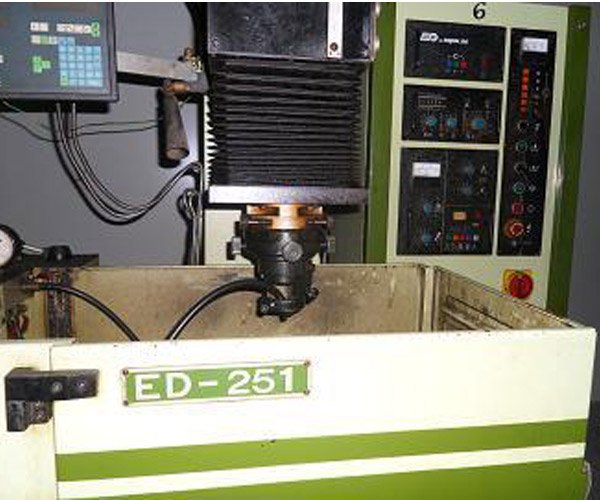
- Manufacturering
- Functions
- Install Cases


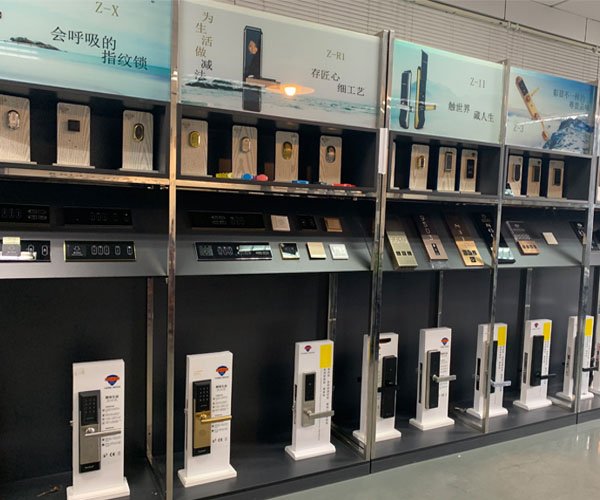

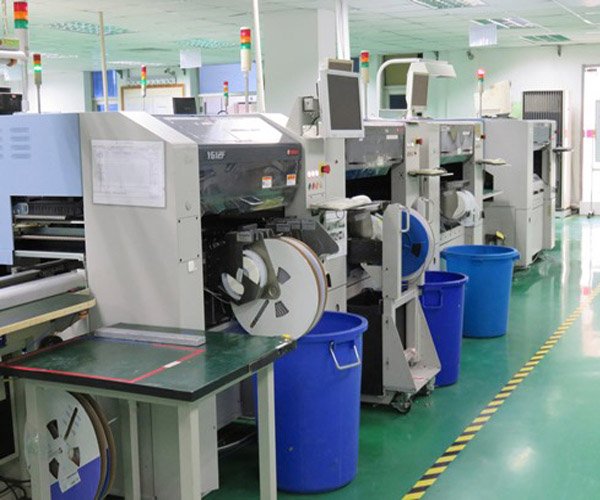
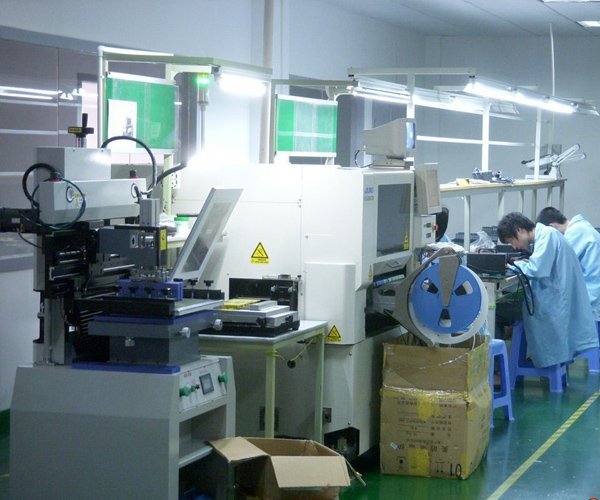
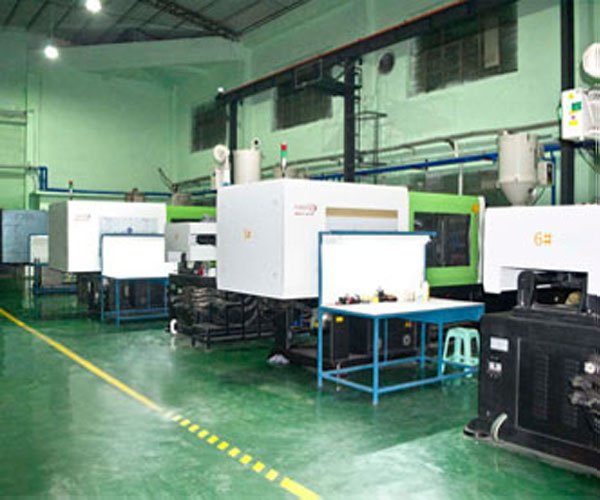




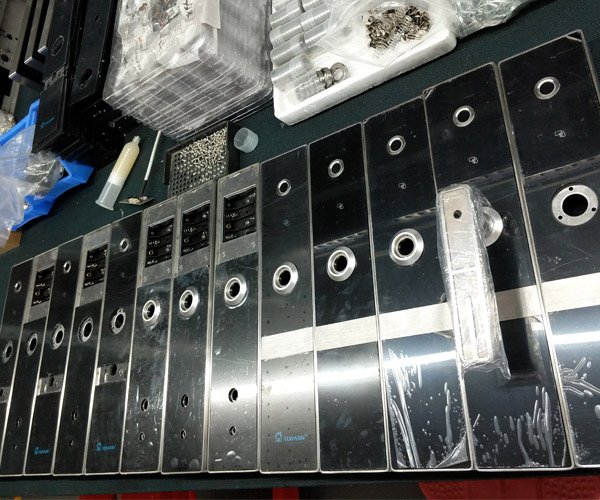
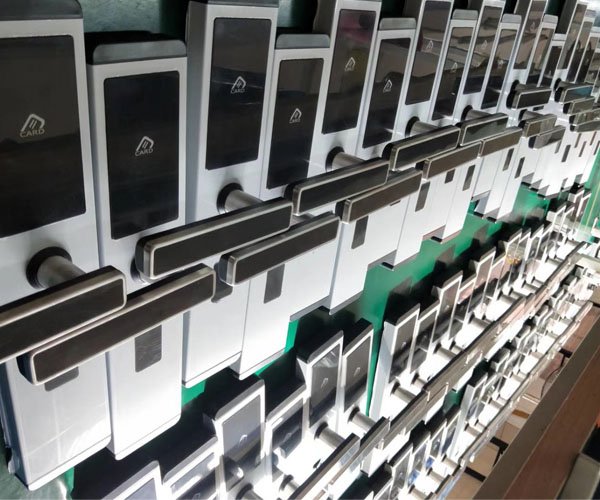
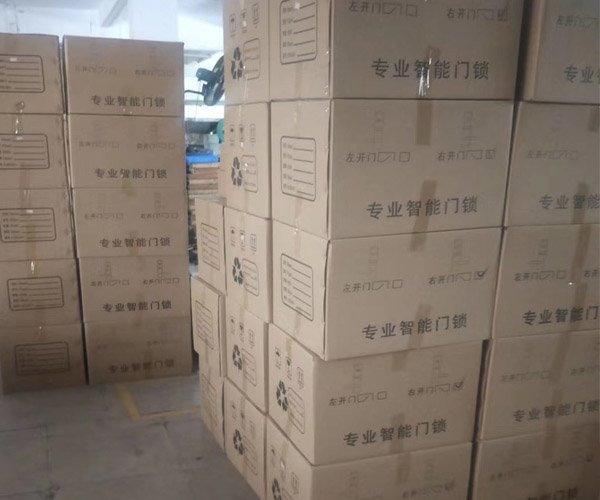
Some Functions of YonAnn TTlocks
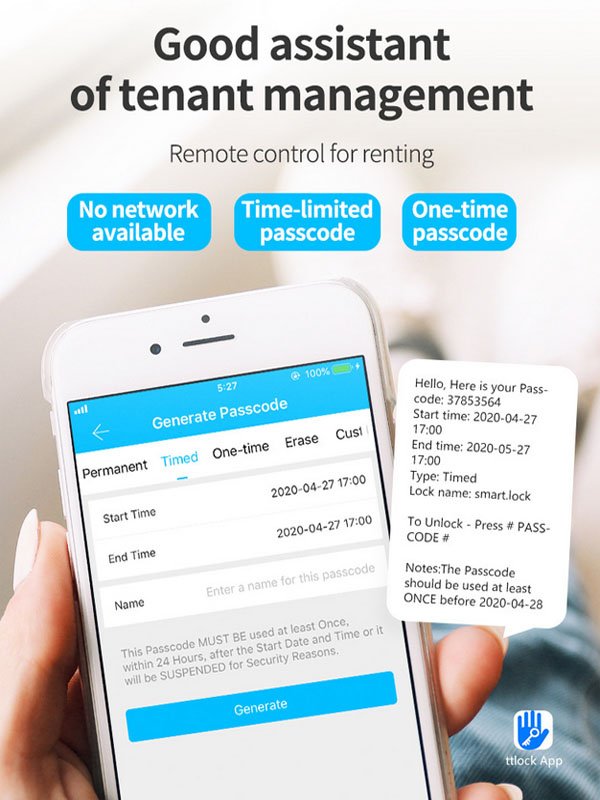
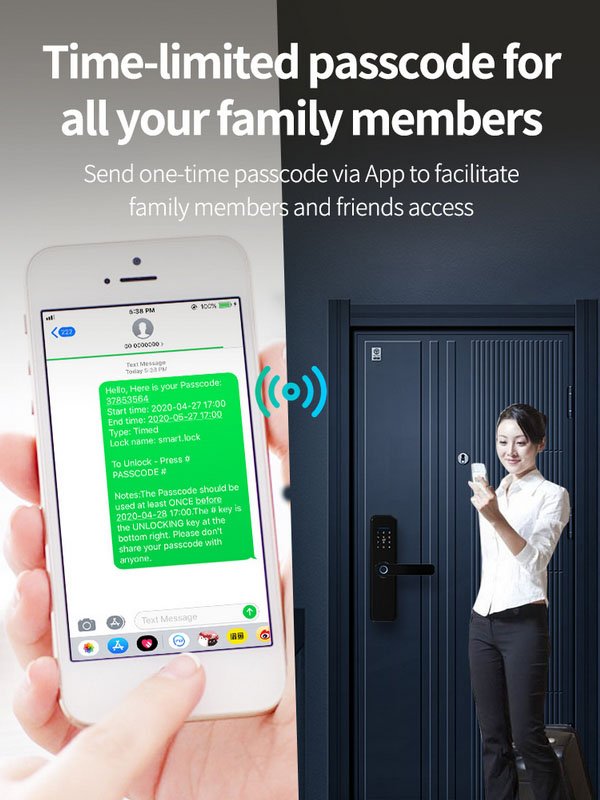
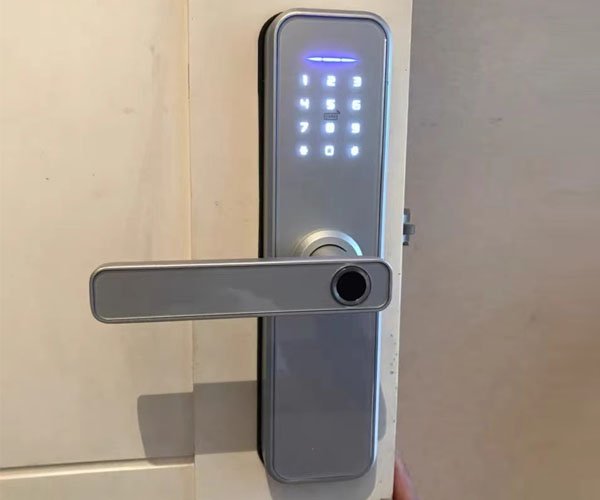
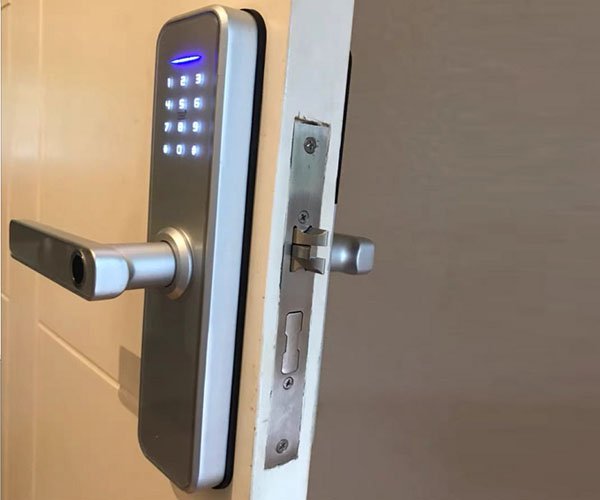
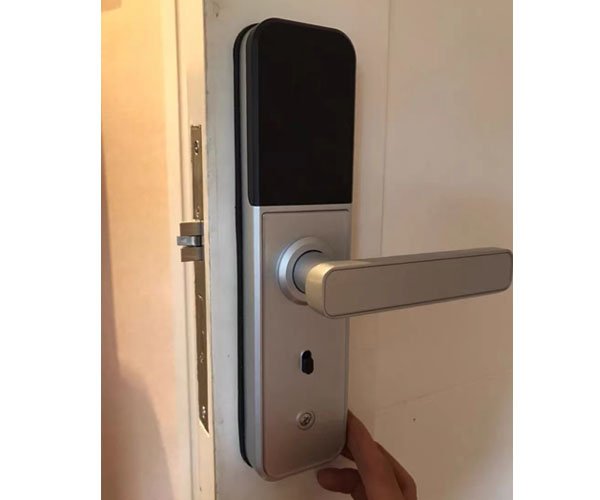
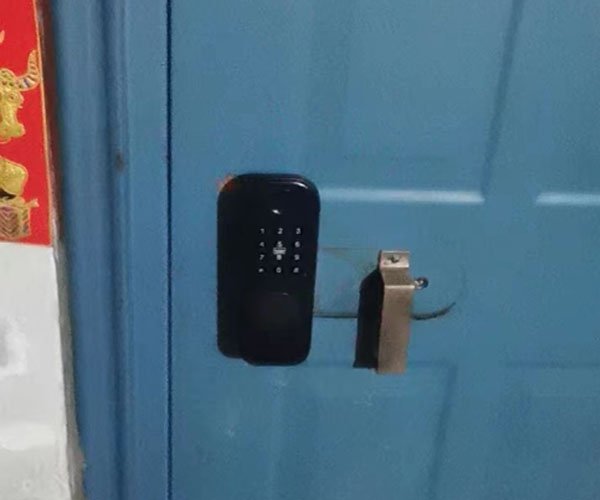
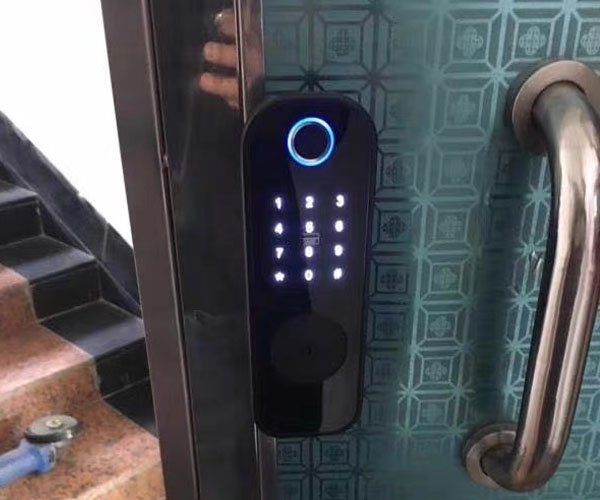
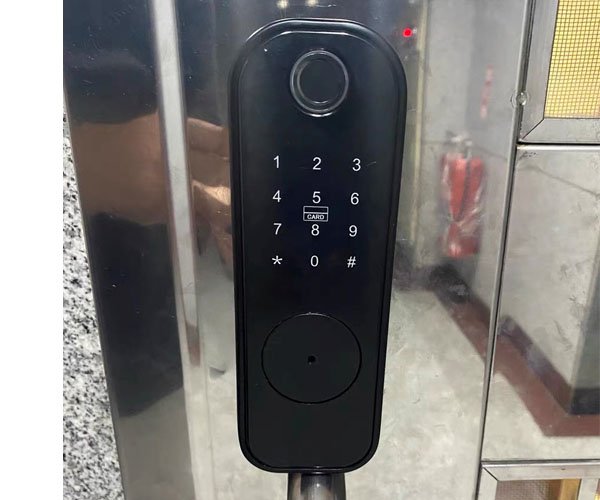
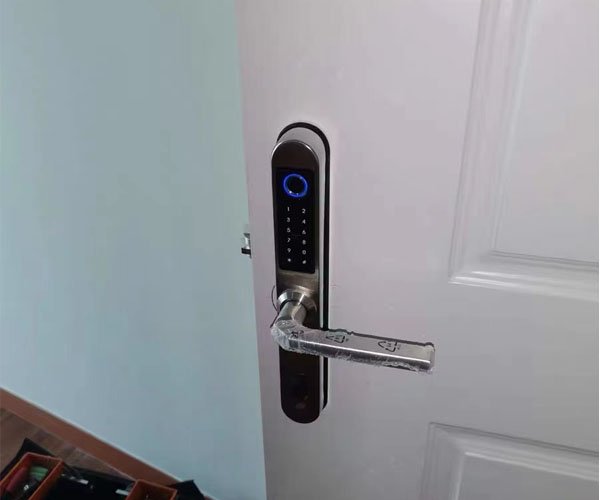
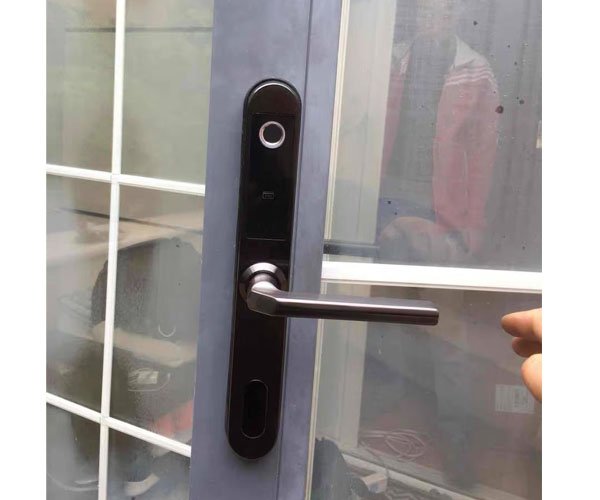
Some Smart Door Locks Installation Cases
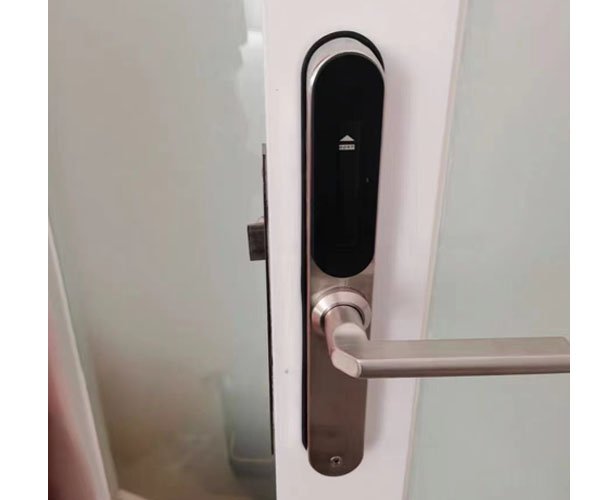
TTLock App Bluetooth Smart Door Lock Related Products
TTLock APP Bluetooth Smart Door Lock FAQs
TTLock is a smart lock that allows you to control access to your office using your smartphone. It uses Bluetooth Low Energy (BLE) technology to connect to your phone, and you can use the Ttlock app to manage who has access to your property and when. You can also set up notifications to alert you when someone enters or leaves your property.
For example, you could give your employees access to your property while you’re away on vacation or grant one-time access to a delivery person when you’re not going to be home. And if an intruder tries to enter your property when you’re away, you’ll be alerted immediately.
Installing and setting up TTLock APP Bluetooth Smart Door Lock is easy. Here’s a step-by-step guide:
- Download the TTLock app from Google Play or the App Store. Once you’ve done that, open the app and create an account.
- After creating an account, add locks to your system. To do this, tap on the “Add Lock” button in the app and follow the instructions. You need to have your lock with you so that you can connect it to your phone via Bluetooth. If you’re having trouble connecting your lock to your phone, make sure that Bluetooth is enabled on both devices and that they are within range of each other. You should also check to see if any firmware updates are available for your lock.
- Once you’ve added your lock to the app, you can start managing access to your property. To do this, tap on the “Manage Access” button in the app and select the lock you want to manage. From there, you can add or remove users, set up schedules, and more. For instance, you can add a family member to your system and give them access to your home while you’re on holiday. Furthermore, you can also set up a schedule so your lock is only open during certain hours.
- One of the best features of TTLock is that you can use the app to monitor activity at your property. To do this, tap on the “Activity” button in the app and select the lock you want to view the activity for. From there, you will see a log history of all the times someone has entered or left your property.
- If you encounter any problems with your lock, you can contact customer support by tapping on the “Help” button in the app and then selecting “Contact Us.” We’re always happy to help!
The TTLock app is compatible with most Bluetooth Low Energy (BLE) locks on the market, like TTLock APP Bluetooth Smart Door Lock. If you’re not sure if your lock is compatible, you can always contact customer support by tapping on the “Help” button in the app and then selecting “Contact Us.”
There are many benefits of using TTLock app bluetooth smart door lock, they are :
1. Access to your property when you’re away.
If you’re not at home or on your business premises, you can still control access to your property using the TTLock app. You can add or remove users, set up schedules, and monitor activity from anywhere. Whether on a secluded island in Asia or the Caribbean, no matter where you are, you can see what’s happening back home in real-time.
2. Increased security for your property.
TTLock uses the latest security technology to protect your property. With features like intruder alerts, you can be sure that your home or office is always safe. If ever you lose your phone, you can remotely disable access to your locks so that no one can enter your home or business without your permission.
Moreover, if a burglar attempts to break into your property, the lock will automatically enter into alarm mode and send a notification to your phone. So, even if you’re not at home, you can call your local police station and have them investigate the situation.
3. Affordable price.
TTLock is one of the most affordable smart lock systems on the market. With prices starting at just $70, it’s an affordable way to increase the security of your home or office.
4. Lower costs for business owners.
TTLock can help you save money on key replacement and rekeying costs if you own a rental property or a small business. With TTLock, there’s no need to change your locks every time a tenant moves out, or an employee is terminated. You can simply remove their access from the app and add new users as needed.
5. Easy to install and use.
TTLock is easy to install and use. The app is also available for both Android and iOS devices so that you can manage your locks from anywhere. And if you ever have any trouble, our customer support team is always happy to help.
6. Convenient management of multiple properties.
If you have more than one property, TTLock makes it easy to manage them all from a single app. You can add multiple locks to the app and easily switch between them to control access and monitor activity. This is perfect for people who have vacation rentals or investment properties.
If you forget your TTLock password, you can reset it from the app. Go to the Settings menu and select “Forgot Password.” You will then be prompted to enter your email address, and a link to reset your password will be emailed to you.
Also, if you want to change your password, you can do so from the Settings menu. Select “Change Password” and type the new password of your choice.
The TTLock app will notify you whenever someone enters or leaves your property. You can also check the app to see a history of who has accessed your property and when.
Yes, TTLock is compatible with many popular smart home platforms, including Amazon Alexa, Google Home, and Apple HomeKit. For example, you can use your voice to unlock your door or check the status of your lock.
To use TTLock with other smart home devices, you need to connect it to a compatible gateway. A compatible gateway is currently available for Amazon Echo Plus, 2nd Gen and above (UK/US/DE/JP only) and Google Nest Hub Max (US/CA/AU/NZ/JP only).
TTLock smart locks are battery-operated so that you don’t have to worry about wires or drilling holes in your door. The locks come with a set of batteries, and you can check the battery level from the app. When the batteries start running low, you will receive a notification on your phone.
Yes, TTLock is safe. Our products are thoroughly tested to guarantee that they meet the highest security standards. We use encryption to protect your data, and we have a strict privacy policy that prohibits us from sharing your information with any third parties.
No, you don’t need a special door for TTLock. Our locks are designed to fit standard doors with a thickness of 38-55mm .
No, you don’t need Wi-Fi to use TTLock. However, you will need an internet connection to control your lock remotely or receive real-time alerts.
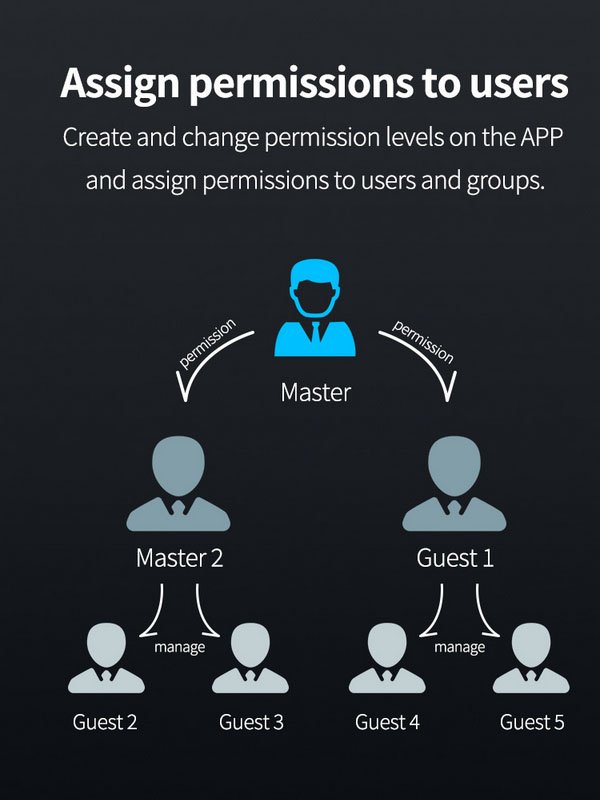
Yes, you can share your TTLock with other people. To do this, add them as a user in the app. Then set permissions for each user, so you can control who has access to your property and when.
You can add as many users as you want since there is no limit to how many people can use TTLock. However, we recommend only adding people you trust to your account. This will help to ensure the security of your property.
If you no longer want to use TTLock, you can delete your account from the app. Go to the Settings menu and select “Delete Account.” Please note that this action cannot be undone, so we recommend that you export your data before deleting your account.
Yes, you can lock your TTLock remotely. Go to the app and select the “Lock” button to do this. You can also set up an automatic schedule so that your lock will lock itself at a certain time each day.
 English
  Russian
  Spanish
  Arabic
  Vietnamese